Apps

Browse beyond.

Tide is a fast, private desktop browser for Windows and Mac. It looks like space, keeps your passwords in an encrypted vault, blocks trackers and ads, and adds tools most browsers don't have, like searching the text of every page you've read.

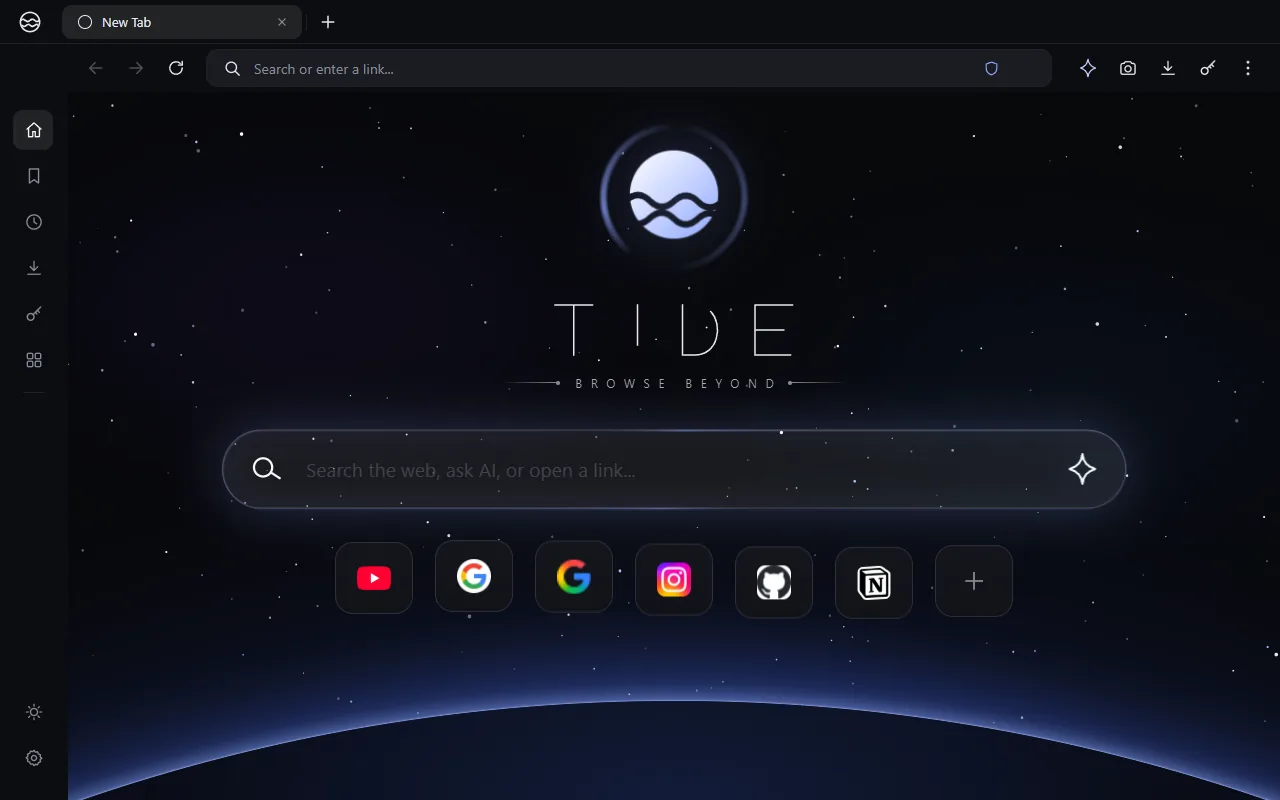
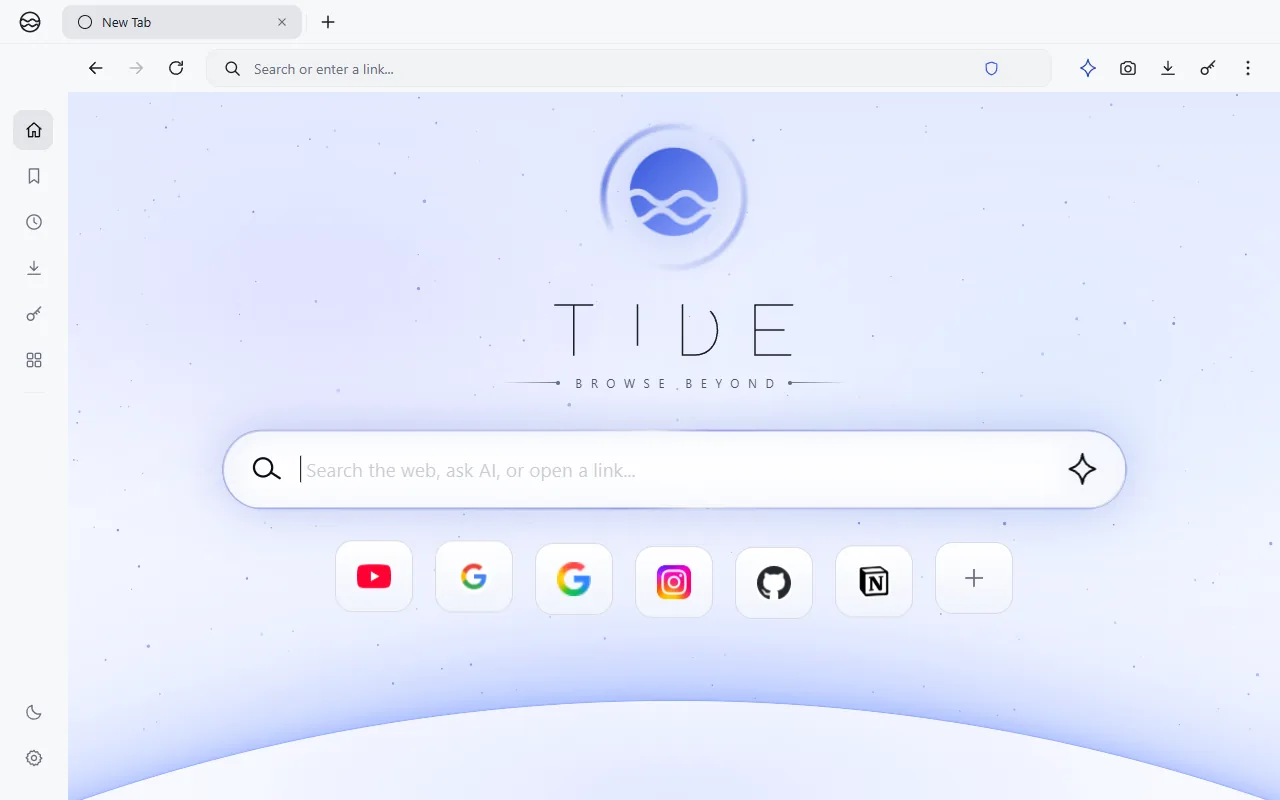
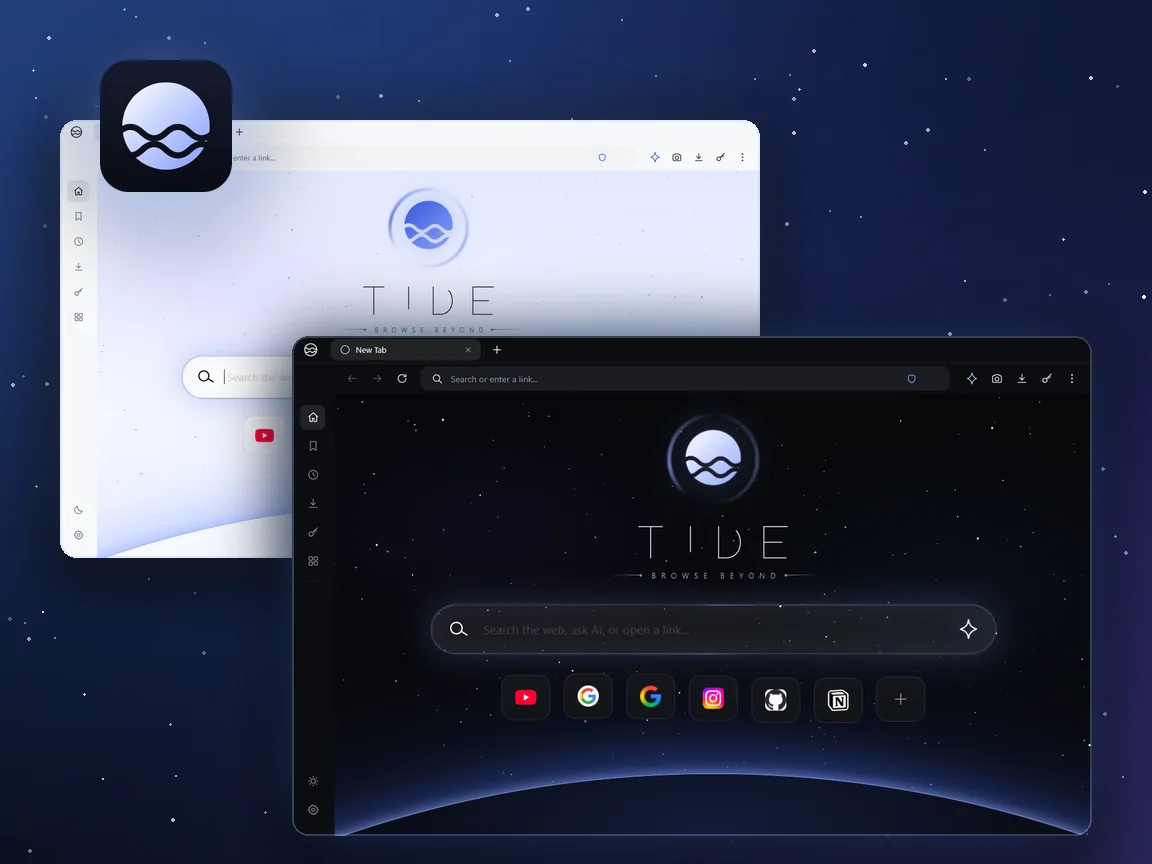
Tide's dark and light home screens, with a planet rising under the search box
Browser · Major project

Tide

A quiet browser for a loud web.

Tide blocks trackers, remembers what you've read, and looks like a night sky. Everything it knows about you stays on your PC.

It has everything you'd expect from a browser, plus tools you won't find in most others.

WindowsMacPrivate by designChromiumDark & light

Windows may show a "Windows protected your PC" notice, because the installer isn't code-signed yet. Your privacy is our promise. Choose More info, then Run anyway.

On a Mac: open the downloaded file and drag Tide into Applications. macOS may say it "can't be opened because Apple cannot check it for malicious software", because Tide isn't signed with an Apple Developer ID yet. Open System Settings, Privacy & Security and choose Open Anyway (on older macOS, right-click Tide and choose Open). Not sure which Mac you have? In the Apple menu, choose About This Mac: a chip named "Apple M" is Apple Silicon.
Why Tide

Private by design.

What you read stays on your PC. Tide's own tools send nothing about your browsing anywhere, and the safety features are part of the browser, not add-ons.

AES‑256

Encrypted vault

Your passwords sit behind a master password and are only filled on the exact site they were saved for.

On‑device

Stays on your PC

Recall, Trail and Snapshots run locally. Nothing about your browsing is sent anywhere.

Built in

No add-ons needed

Tracker and ad blocking, HTTPS upgrades and third-party cookie blocking come with the browser.

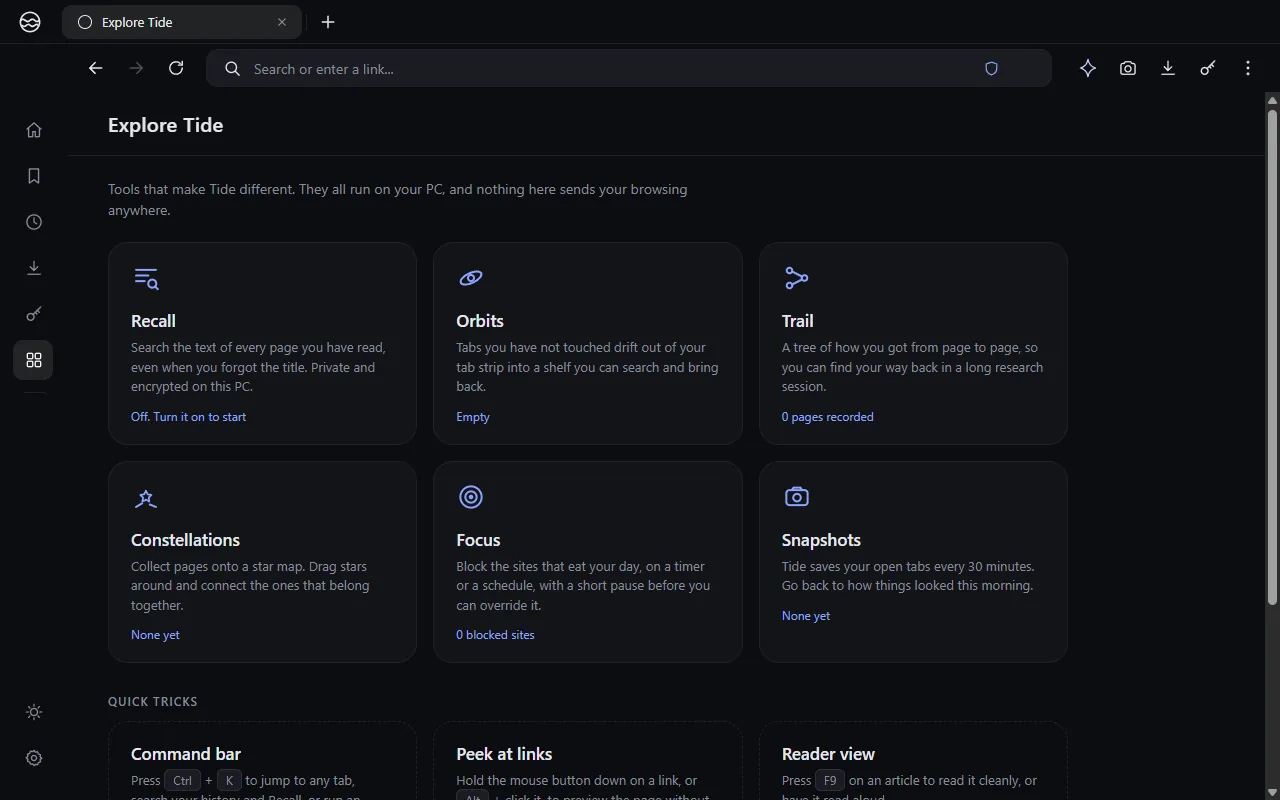
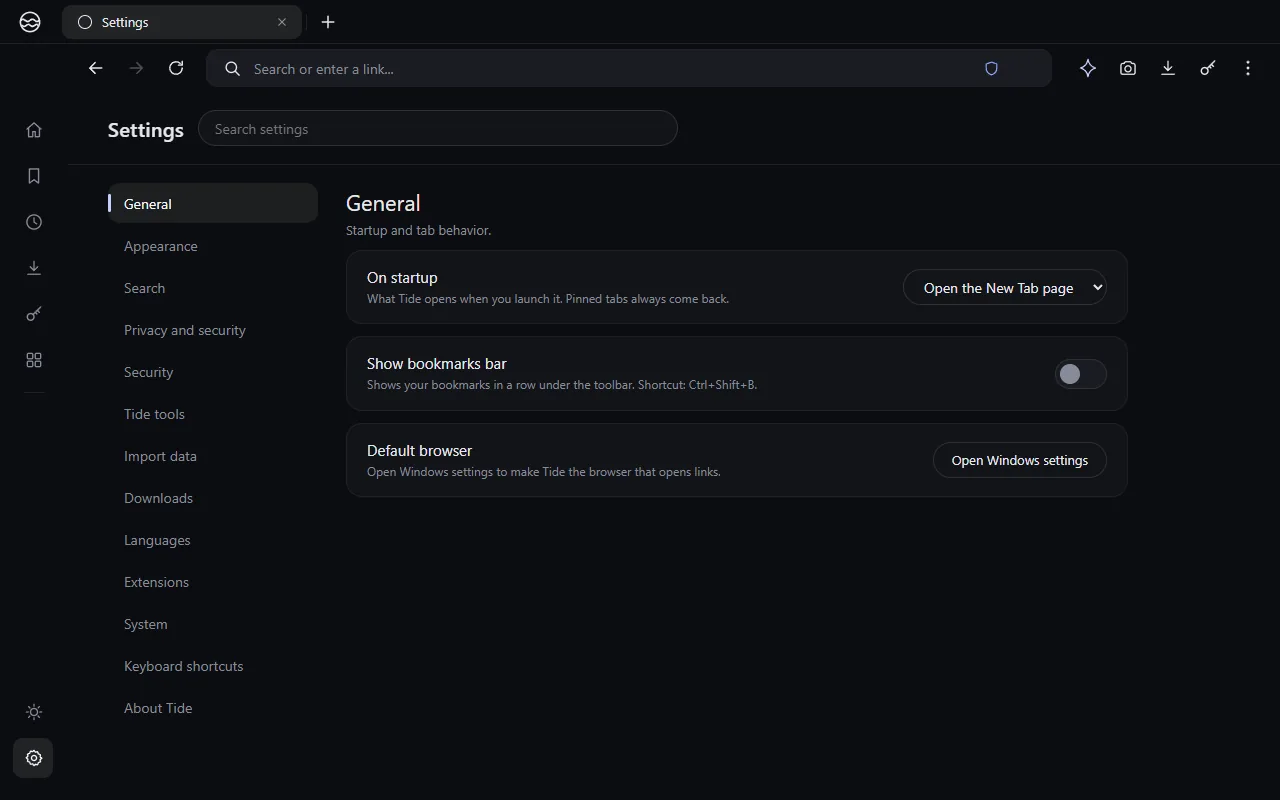
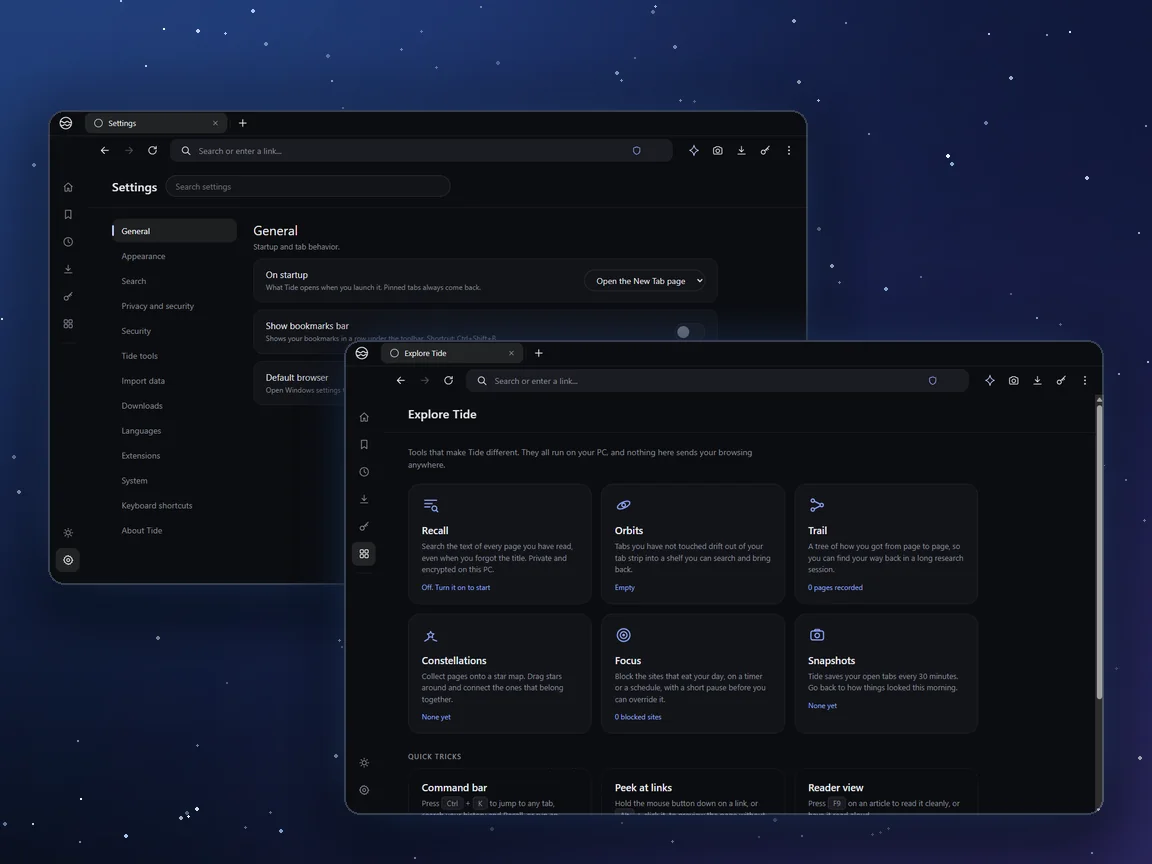
Tide's settings page and Explore page, which introduces its built-in tools
Safety

Safety is built in

Tide protects you without asking you to install anything or change a setting first.

  • A password vault with AES-256 encryption, protected by a master password.
  • Trackers and ads are blocked, tracking parameters are stripped from links, and third-party cookies are blocked.
  • Sites are upgraded to HTTPS, and Tide sends the Global Privacy Control signal.
  • Known malware sites trigger a warning before the page opens.
  • Risky downloads are flagged and every download gets a SHA-256 fingerprint.
  • A per-site privacy panel shows what a site did and lets you forget it.
What sets Tide apart

Tools most browsers don't have

Everything here runs on your PC. These are the parts that make Tide feel different from the browser you use now.

Recall

Search the text of pages you've read, even when you forget the title. It's stored in an encrypted log on your PC.

Orbits

Tabs you haven't touched drift to a searchable shelf, so the tab strip stays clear and nothing gets lost.

Trail

See how you got from page to page as a tree, and find your way back through a long research session.

Snapshots

Your open tabs are saved automatically, so you can go back to how things looked this morning.

Constellations

Arrange saved pages on star-map boards, and connect the ones that belong together.

Focus

Block the sites that eat your day, on a timer or a schedule, with a short pause before you can override.

Peek

Hold a link to preview the page in an overlay, then decide whether it's worth opening.

Command bar

Press Ctrl+K to find a tab, a page or a setting, or to do something, without touching the mouse.

Reader

A clean article view with typography controls and read-aloud, for when a page is full of clutter.

Site privacy panel

See what a site did on your PC, how many trackers it tried, and forget it with one click.

Dark and light

A dark space look with a planet under the home screen, a clean light mode, and a paint-splash when you switch.

Easy to switch

Bring your history and bookmarks over from Chrome, Edge, Brave, Firefox and Safari.

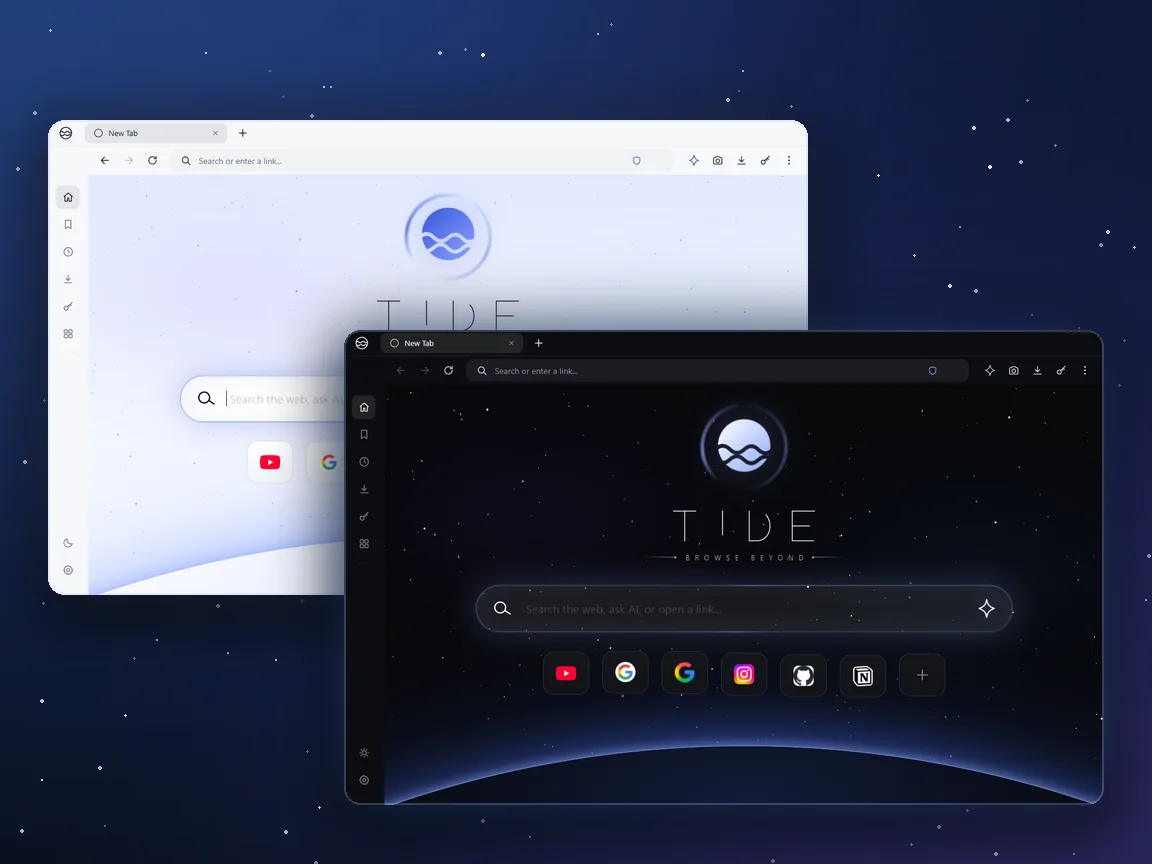
Tide's light and dark home screens side by side
Look and feel

Looks like space. Works like a browser.

Tide has its own look, and it doesn't get in the way of the web.

  • A dark space theme with a planet rising under the home screen.
  • A clean light mode, or follow your system.
  • A paint-splash animation when you switch between them.
  • A new tab page with a search box and shortcut tiles you can edit.
The basics

Everything you'd expect

Tide covers what you do in a browser every day, so you aren't giving anything up to use it.

Pinned tabsPrivate tabsMuted tabsDrag to reorderReopen closed tabsSession restoreAddress bar suggestionsBookmarksHistoryDownloadsFind in pageZoomScreenshotsPrint and save pagePermission promptsA full settings pageDeveloper tools
Screenshots

See it running

Real screenshots of Tide, in dark and light.

Tide's dark home screen with the TIDE wordmark, a search box, shortcut tiles and a planet on the horizon
Home, dark
Tide's light home screen
Home, light
Tide's Explore page listing Recall, Orbits, Trail, Constellations, Focus and Snapshots
Explore Tide
Tide's settings page with sections for appearance, search, privacy, security and import
Settings
Contact

Questions about Tide?

Tide is for Windows and Mac. Send a DM on Instagram to ask a question, report a problem, or tell us what you'd want from a browser.